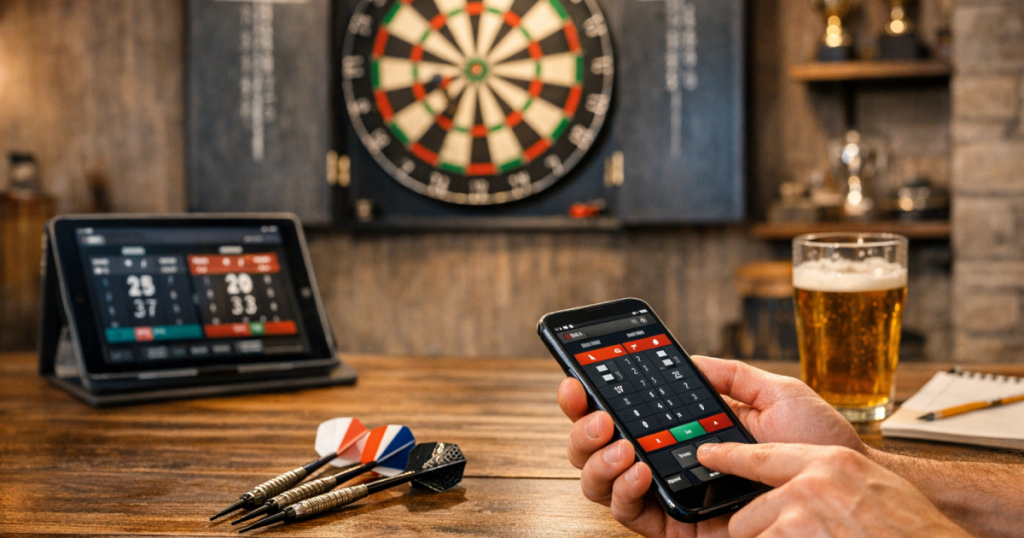
Home matches are much smoother when nobody is leaning over a paper scoresheet trying to rescue a messy subtraction. A good dart scoring app can handle the arithmetic, keep legs moving and make casual games feel more organised without turning your set-up into a pub scoreboard.
The trick is choosing one that fits how you actually play at home: quick 501s, longer practice sessions, family games, league-style nights with friends, or a mix of all four. The best choice is not always the flashiest one; it is the one everyone can use without slowing the match down.
The quick way to narrow it down
Before installing several options and hoping one sticks, decide what problem you want the scorer to solve. Most home players need reliable checkout maths, clear visibility from the oche, fast player switching and enough game modes to cover normal match play. Extra statistics are useful only if you will review them after throwing.
- For casual family games: prioritise simple score entry, large buttons and easy player names.
- For regular 501 practice: look for checkout prompts, leg and set formats, averages and first-nine or three-dart scoring summaries where available.
- For group nights: check how many players can be added, whether teams are supported, and how easy it is to correct a wrong score.
- For a fixed darts room: think about whether you will use a phone, tablet or wall-mounted screen, and where it will sit.
- For shared households: make sure the app is easy enough for guests who do not play often.
Start with your match format
The scoring needs for a quick best-of-three 501 are different from a full evening with four players rotating in and out. Write down the formats you actually use before comparing apps. Common home needs include 301, 501, cricket, round the clock and simple practice games, but not every player needs all of them.
If your home setup is built around proper match play, get the physical basics right first. An app will not fix an incorrect throw line or awkward board position, so it is worth checking how to set dartboard height and oche distance correctly before judging your scores, averages or finishing practice.
Check score entry speed before anything else
During a home match, the most important feature is not a graph or profile page; it is how quickly each player can enter a score after three darts. If entering 100, 45 or 26 takes too many taps, the rhythm of the leg suffers.
Try a short test leg and pay attention to the feel of the interface. Can you enter a score one-handed? Are common scores quick to input? Is the delete or undo option obvious? Can a guest correct a mistake without digging through menus? A good scoring flow should feel almost invisible after a few turns.
Voice entry can be convenient in some setups, but it is not essential. If you are considering it, test it with normal room noise, players chatting, darts landing in the board and a bit of background music if that reflects your match nights. Do not assume it will suit every household or accent until you have tried it.
Make visibility part of the decision
A dart scoring app is only helpful if players can read it comfortably from where they stand or wait. A phone on a side table might be fine for solo practice, but it can be awkward in a doubles match where everyone wants to see the remaining score and checkout route.
For most home rooms, a tablet gives a clearer display than a phone, while a spare phone is easier to move and less intrusive. If the device sits near the board, make sure it is outside the likely path of stray darts. If it sits near the oche, check that players are not stepping around cables, furniture or a low stand between throws.
Lighting matters too. Glare on a tablet screen can be just as irritating as shadows over the board. If your scoring device is hard to read at night, sort the room layout as well as the app settings. The same thinking used in a proper dartboard lighting guide applies here: aim for clear sightlines, controlled glare and no distracting shadows.
Look at checkout help without becoming dependent on it
Checkout suggestions are one of the biggest reasons home players move from paper to digital scoring. They are useful for learning routes, speeding up decisions and helping newer players understand why certain finishes are preferred.
Still, treat checkout help as a learning aid rather than a replacement for thinking. A good app should make the suggested route clear, but you should also be able to ignore it when your preferred lie, dart choice or confidence suggests another route. For example, some players like leaving tops where possible, while others are happier working around 16s. The app should support your game, not dictate it.
When testing, check whether the checkout display appears at the right time, whether it is readable from your scoring position, and whether it handles busts and missed doubles in a way that is easy to follow.
Decide how much statistics really matter
Statistics can be motivating, but only when they answer a question you care about. Three-dart average, checkout percentage and scoring distribution can all help regular players spot patterns. If you are practising for local league-style play at home, these figures may be worth having.
For casual evenings, too much data can become clutter. If the app keeps stopping the flow with profiles, summaries or prompts that nobody reads, it is working against the match. A clean scoring screen with an optional stats page is often better than a feature-heavy layout that interrupts play.
Useful checks include whether you can view match history, whether players can have separate profiles, whether practice stats are easy to reset, and whether guest players can be added without creating unnecessary accounts. Do not assume these features are free, permanent or available on every platform; check the current app listing before committing your match nights to one option.
Test it with the people who will actually use it
A solo test is not enough. Try the app during a real home match with the people who normally play. You will quickly discover whether the buttons are too small, whether the scoring flow confuses occasional players, or whether one person ends up acting as scorer all night because nobody else wants to touch it.
For households with children, make sure the device does not make the darts area more tempting or chaotic. Scoring screens can attract younger children towards the board, so keep sharp darts managed properly between games. If that is relevant at home, follow sensible habits for storing darts safely away from children as part of the whole setup.
Compare apps using practical criteria
Well-known options in app stores include DartCounter, Dartsmind, Russ Bray Darts Scorer and My Dart Training. Availability, pricing, adverts, account requirements and features can change, so treat those names as starting points rather than fixed recommendations. Install a shortlist, run the same test match on each one, and compare them on the same practical points.
Ease of use
- Can a guest understand the scoring screen in under a minute?
- Are score entry, undo and bust corrections obvious?
- Does the app stay readable on the device you plan to use?
Game coverage
- Does it support your normal games, such as 501, 301, cricket or practice routines?
- Can it handle the number of players you invite for home matches?
- Can you set legs, sets and starting scores in the way you prefer?
Match flow
- Does it move quickly from one player to the next?
- Are checkout suggestions useful without taking over the screen?
- Can you pause, resume or correct a leg without restarting?
Practical home use
- Does it work well on your chosen phone or tablet?
- Is the screen clear under your room lighting?
- Are adverts, sign-ins or prompts likely to interrupt a match?
- Can you use it comfortably from the scorer’s usual position?
Think about device placement, not just software
The neatest app can still be annoying if the device is in the wrong place. For solo practice, many players prefer the scorer close enough to tap between visits. For group matches, a side position where the caller or last thrower can enter scores often works better.
Avoid placing a phone or tablet directly below the board unless it is well protected and outside any realistic bounce-out zone. Also avoid putting it where players must cross the throwing area to update scores. If you use a stand or small table, check that it does not create a trip point near the oche.
It is also worth deciding who enters the scores. Some homes use the player who has just thrown; others use a nominated scorer for the leg. The best system is the one that keeps the match flowing and avoids arguments over missed taps or wrong totals.
Watch for distractions and account friction
Some scoring apps are designed for connected play, leaderboards, profiles or wider community features. These can be enjoyable, but they are not automatically better for home matches. If your aim is a relaxed Friday night at the board, constant prompts, notifications or sign-in steps may become irritating.
Before settling on an app, check what happens when you open it quickly. Can you start a match without fuss? Does it remember recent players? Are adverts shown in places that break concentration? Are any useful features behind optional paid access? The point is not to avoid paid apps altogether; it is to know what you are relying on before a match night starts.
A simple testing routine before you decide
Give each shortlisted app the same fair trial. Use one evening or practice session and run through a repeatable test rather than judging from screenshots.
- Set up a normal 501 leg with the same number of players you usually have.
- Enter ten visits quickly, including a high score, a low score, a bust and a correction.
- Check the display from your usual standing position, not just while holding the device.
- Try a checkout situation such as 80, 64 or 40 remaining and see how clear the route is.
- Add a guest player and see whether setup stays simple.
- Finish the leg and look at the summary to decide whether the stats are useful or just decorative.
After two or three apps, the right choice usually becomes obvious. The winner is the one you stop noticing because the game feels natural.
Helpful questions
Is a scoring app better than a chalkboard for home darts?
For quick arithmetic, checkout prompts and saved stats, yes. A chalkboard still works well if you enjoy manual scoring or want a distraction-free setup, but digital scoring is easier for guests and newer players.
Should I use a phone or tablet for scoring?
A phone is convenient for solo practice and small rooms. A tablet is usually better for group matches because the remaining score and checkout information are easier to read from a distance.
Do I need online features for home matches?
Not necessarily. Online play and profiles can be useful, but basic local scoring, clear display and fast correction matter more for most home matches.
How do I stop score entry slowing the game down?
Choose an app with large number entry, obvious undo controls and quick player switching. Agree before the match whether the thrower or a separate scorer will enter each visit.
Are checkout suggestions always the best route?
No. They are helpful guides, but your preferred doubles, current confidence and dart lie can change the sensible choice. Use suggestions to learn, not to switch off your own decision-making.
Main lessons
Choosing the right scoring app is less about finding the longest feature list and more about protecting the rhythm of your home matches. Prioritise quick score entry, readable screens, reliable corrections, suitable game formats and a setup that works in your actual darts space.
Once those basics are right, extras such as statistics, checkout help and connected features can add value. Test a few options with real players, in your normal room, under your normal lighting, and keep the one that makes scoring feel effortless.